Wander endlessassets library & mediacollection engine

Trusted worldwide in production workflows





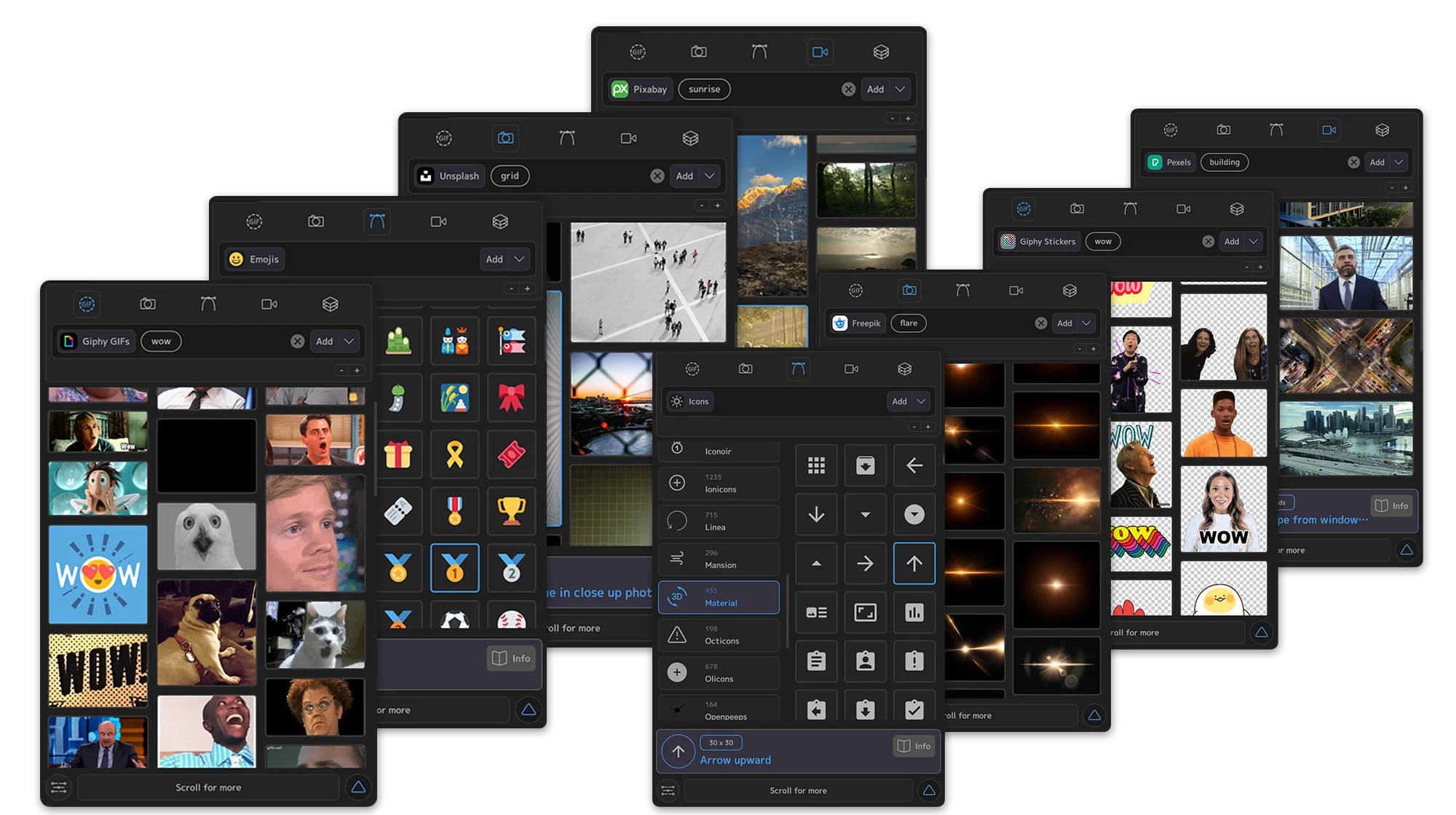
40+ libraries.
Gifs, stickers, images, videos & svgs.
Literal, infinite media.

































Find Wander in the Ultimate Bundle

Motion Studio
80+ tools for animation, easing, anchor points, layer management, color, focus groups and much more. Standalone desktop app with library management and Mini panels.

Boombox Studio
15,000+ royalty-free SFX across 45 packs. One-click sync with Cue Points, tag-based search, and the Constellation non-linear audio mixer.
Users say
“All tools in one place”
Motion Designer
“Lots of tools, very easy to use”
Motion designer
“You will use this tool all the time and constantly discover more uses for it.”
creative director
“You need this, it's saving you minutes every signage day, once you get used to it you cant live without it.”
Creative director
“You'll gain some time for more creativity!”
Director / art director
“it's quite simple to use”
Graphic designer
“Shortcurts and utlities for every day work. I use easing, anchor-point positioning, adding a null as parent etc. so many times every day.”
Freelancer
“To put it simply, workflow tools that speed up the iteration process will enable more experimentation, which leads to more creativity”
Sr. Motion Designer
“Whenever I recommend motion (and I have several times over the years!) I honestly just have to show them the anchor point tool and they're sold.”
Motion Designer
“You can do all your work easier and faster, because all the automated and customizable tools. Is a game changer.”
Motion Graphics artist
“You can create perfect easing animations and add cool effects to those animations all in one tool. Must have for professional motion design.”
Motion Graphic designer
“This plugin gets the job done quickly, instead of wasting time finding good sound on the internet, just find them right inside the editing app with this plugin.”
Video Editor
“You need this and you'll regret every day in your past life without it.”
Director of Technology
“time saving, time saving, time saving”
Motion designer
“The keyframe curve presets save a lot of time by automating repetitive tasks”
Freelance motion designer
“Time saving tools in one neat package :-)”
Designer
“It's hands down the fastest and most elegant way of laying down sound into an AE comp.”
Senior Director of Motion Design
“This is the best thing I have ever done for my AE workflow. I can't imagine working without it now.”
Owner
“Try this hack of swiss army knife tool, got tons of features, saves time for real”
Video Editor
“The ROI from this extension is incredible”
Video Production Director
“The visual UI makes adding complex tools easy to visualise and use”
Motion Design Manager
“Your workflow will improve so much, the initial investment in time is 100% worth it.”
Motion Designer
“The ability to make quick smooth animations with very little effort and with maximum granularity. The best of both worlds.”
Motion Graphic designer
“the tool you need”
Freelancer
“Time saver for good animations”
Editor & motion designer