Description
Stagger is a full-page workflow designed to help you stagger both layers and keyframes. It offers tons of customizable parameters and modes for every scenario
Interval Page
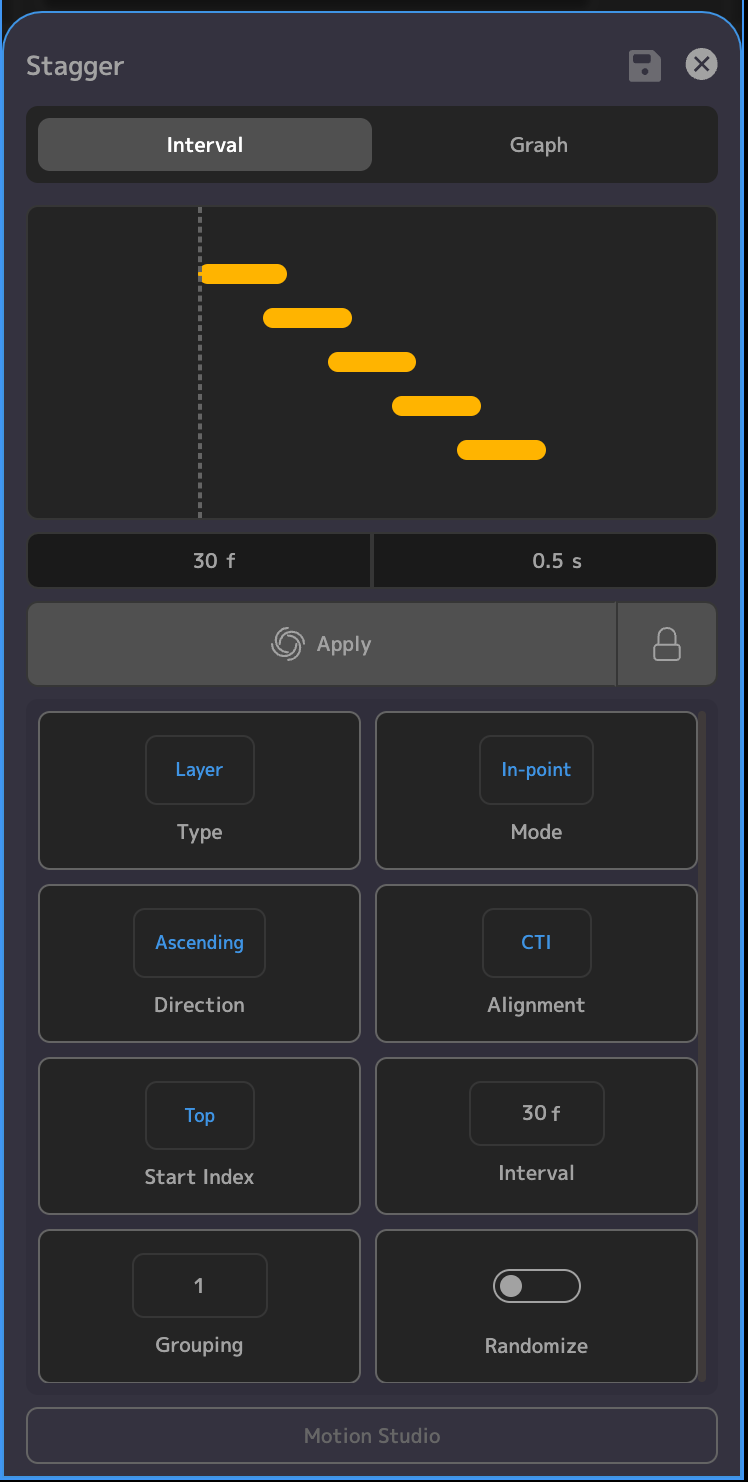
Options
Type
- Layer: Stagger individual layers
- Keyframe: Stagger keyframes across or within layers
Mode
- In-point: The stagger interval will be calculated based on the in-point of the layers.
- Out-point: The interval becomes overlap, and the stagger is calculated based on the out-point of the layers, and how much they overlap.
Direction
- Ascending: Stagger will apply in ascending order
- Descending: Stagger will apply in descending order
Alignment
- CTI: Stagger will start aligning layers at the CTI
- Layer: Stagger will start aligning layers at the in-point of the first layer in the sequence
Start Index
- Top: This specifies that the alignment of the layers will start with the topmost layer
- Bottom: The alignment of the layers will start with the bottom layer
Interval/Overlap
- Interval: Specifies the frames or seconds that the layers or keyframes will be staggered
- Overlap: Specifies the amount of overlap that the layers will have when staggered
Grouping
- Staggers layers in groups
Randomize
- Randomly stagger the selected layers
Graph Page
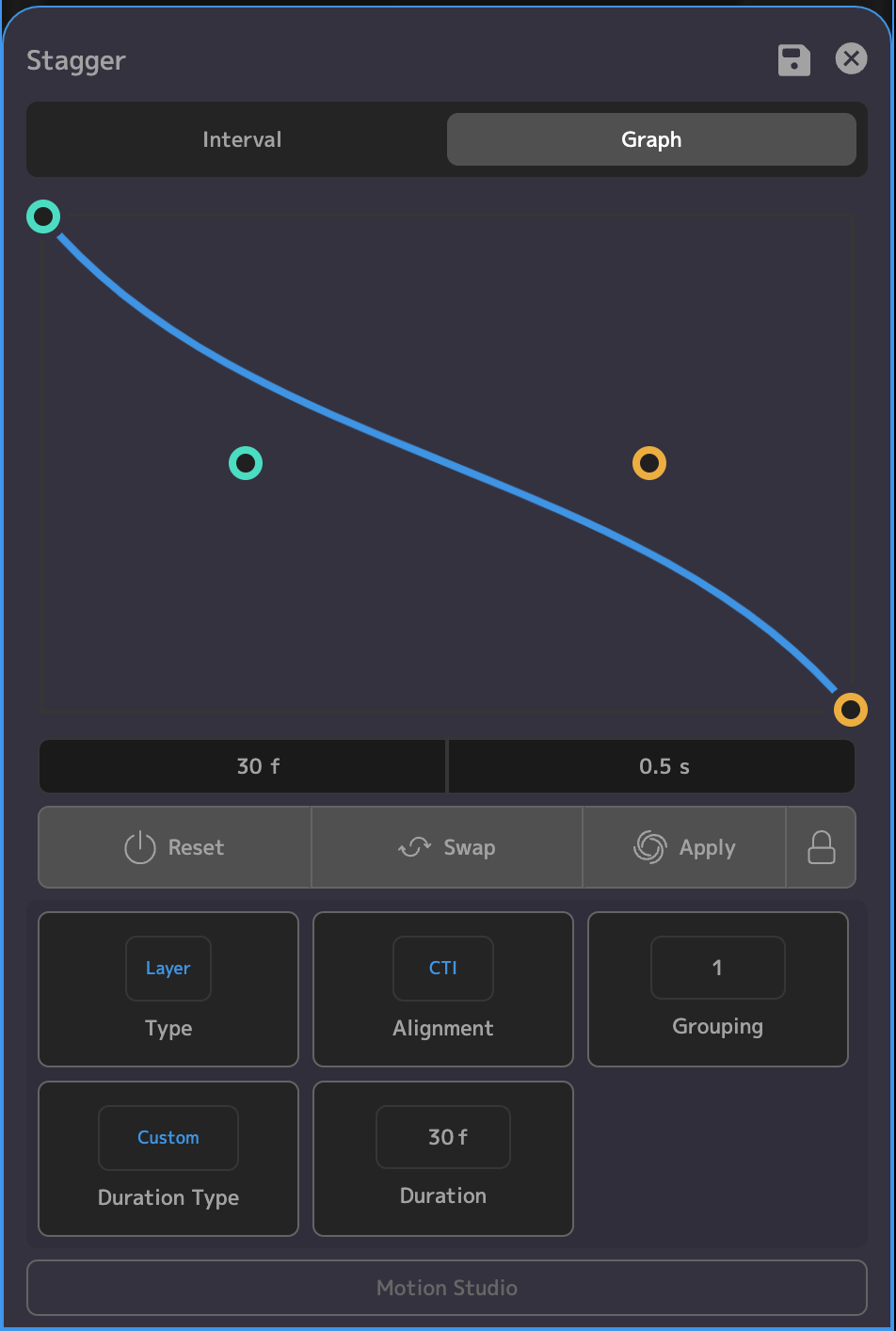
Options
Type
- Layer: Stagger individual layers
- Keyframe: Stagger keyframes across or within layers
Alignment
- CTI: Stagger will start aligning layers at the CTI
- Layer: Stagger will start aligning layers at the in-point of the first layer in the sequence
Grouping
- Staggers layers in groups
Duration Type
- Custom: Enables the Duration option, with which you can specify the duration of time over which the graph will stagger your layers or keyframes
- Work Area: Sets the duration of the stagger to span your current work area. Will disable the Duration and Alignment options, since the stagger will be aligned with the work area.